top of page
Search

Go Chase It!

Writer: Ibrahim Helal
Ibrahim Helal
May 24, 2019
1 min read

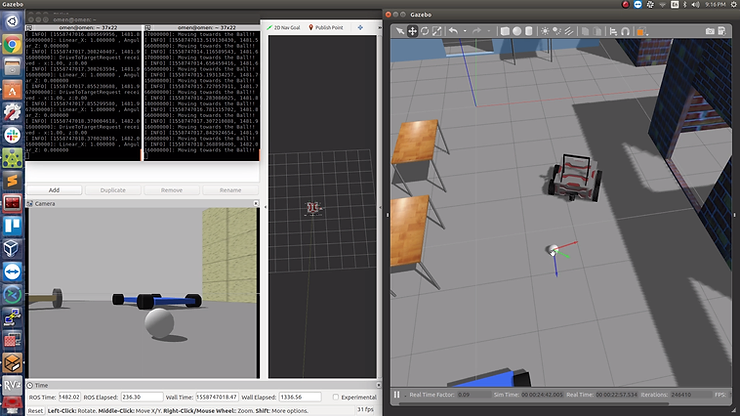
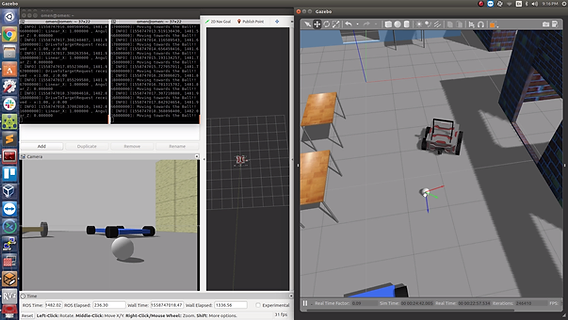
The aim of this project was to create a Gazebo simulation which includes the following:


1. World: Indoor Office Setup


2. Robot: Differential drive robot equipped with a camera and a 2D Lidar


3. 0.1m Sphere coloured in white


drive_bot:


A ROS package to hold a robot, the white ball, and the world.

a differential drive robot with the Unified Robot Description Format. Add two sensors to your robot: a lidar and a camera. Add Gazebo plugins for your robot’s differential drive, lidar, and camera. The robot you design should be significantly different from the one presented in the project lesson. Implement significant changes such as adjusting the color, wheel radius, and chassis dimensions. Or completely redesign the robot model! After all you want to impress your future employers :-DHouse your robot inside the world you built in the Build My World project.Add a white-colored ball to your Gazebo world and save a new copy of this world.The world.launch file should launch your world with the white-colored ball and your robot.


ball_chaser:


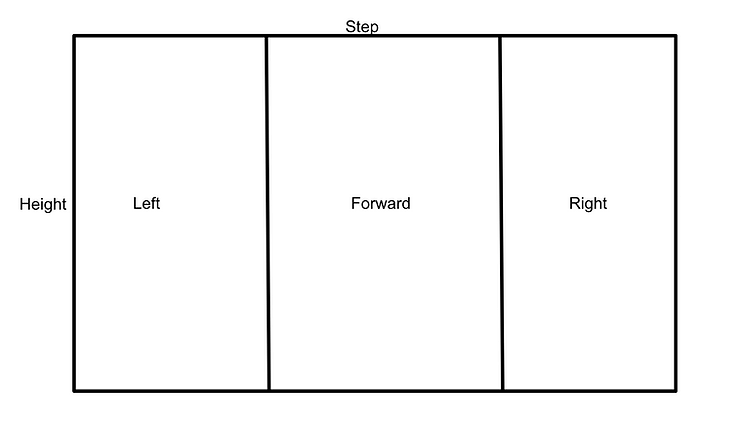
Create a ball_chaser ROS package to hold your C++ nodes.Write a drive_botC++ node that will provide a ball_chaser/command_robot service to drive the robot by controlling its linear x and angular z velocities. The service should publish to the wheel joints and return back the requested velocities.Write a process_image C++ node that reads your robot’s camera image, analyzes it to determine the presence and position of a white ball. If a white ball exists in the image, your node should request a service via a client to drive the robot towards it.The ball_chaser.launch should run both the drive_bot and the process_imagenodes.

24 views
0 comments

Comments


© 2019 by Ibrahim Helal

bottom of page
top of page

Post

Go Chase It!

Writer: Ibrahim Helal
Ibrahim Helal
May 24, 2019
1 min read

The aim of this project was to create a Gazebo simulation which includes the following:


1. World: Indoor Office Setup


2. Robot: Differential drive robot equipped with a camera and a 2D Lidar


3. 0.1m Sphere coloured in white


drive_bot:


A ROS package to hold a robot, the white ball, and the world.

a differential drive robot with the Unified Robot Description Format. Add two sensors to your robot: a lidar and a camera. Add Gazebo plugins for your robot’s differential drive, lidar, and camera. The robot you design should be significantly different from the one presented in the project lesson. Implement significant changes such as adjusting the color, wheel radius, and chassis dimensions. Or completely redesign the robot model! After all you want to impress your future employers :-DHouse your robot inside the world you built in the Build My World project.Add a white-colored ball to your Gazebo world and save a new copy of this world.The world.launch file should launch your world with the white-colored ball and your robot.


ball_chaser:


Create a ball_chaser ROS package to hold your C++ nodes.Write a drive_botC++ node that will provide a ball_chaser/command_robot service to drive the robot by controlling its linear x and angular z velocities. The service should publish to the wheel joints and return back the requested velocities.Write a process_image C++ node that reads your robot’s camera image, analyzes it to determine the presence and position of a white ball. If a white ball exists in the image, your node should request a service via a client to drive the robot towards it.The ball_chaser.launch should run both the drive_bot and the process_imagenodes.


25 views
0 comments

Comments


© 2019 by Ibrahim Helal

bottom of page